Portfolio CreationJuly 31, 20265 min read1 views
How to Create a Professional Portfolio (Step-by-Step Guide)
Manzar Kazmi
Author


Manzar Kazmi
Author

A professional portfolio is a curated PDF or web document that presents your work, skills, and career story in one place so employers, clients, and collaborators can evaluate you quickly. If you want to know how to create a PDF portfolio, the short answer is: define your goal, pick a clean layout, organize your best 5–8 projects with context, add a cover and title page, write a short bio, and export it as a polished, shareable PDF. Below is the complete, step-by-step process — including how to make a portfolio title page, design a strong cover page, and structure everything for maximum impact.
Whether you're wondering how to make a PDF portfolio from scratch or how to put together a portfolio that actually gets read, this guide covers every stage: planning, writing, designing, and exporting. With QlimbUp, you can build each of these sections visually and export a print-ready PDF portfolio in minutes — but the principles below apply no matter what tool you use.
Before you create a portfolio pdf, get clear on why you're building it. Are you:
Your answer shapes everything — from the cover page tone to which projects you feature.
Once your goal is set, the next question is how to organize a portfolio so it flows logically. Most professional portfolios follow this order:
This structure works whether you're building a design, marketing, or creative portfolio.
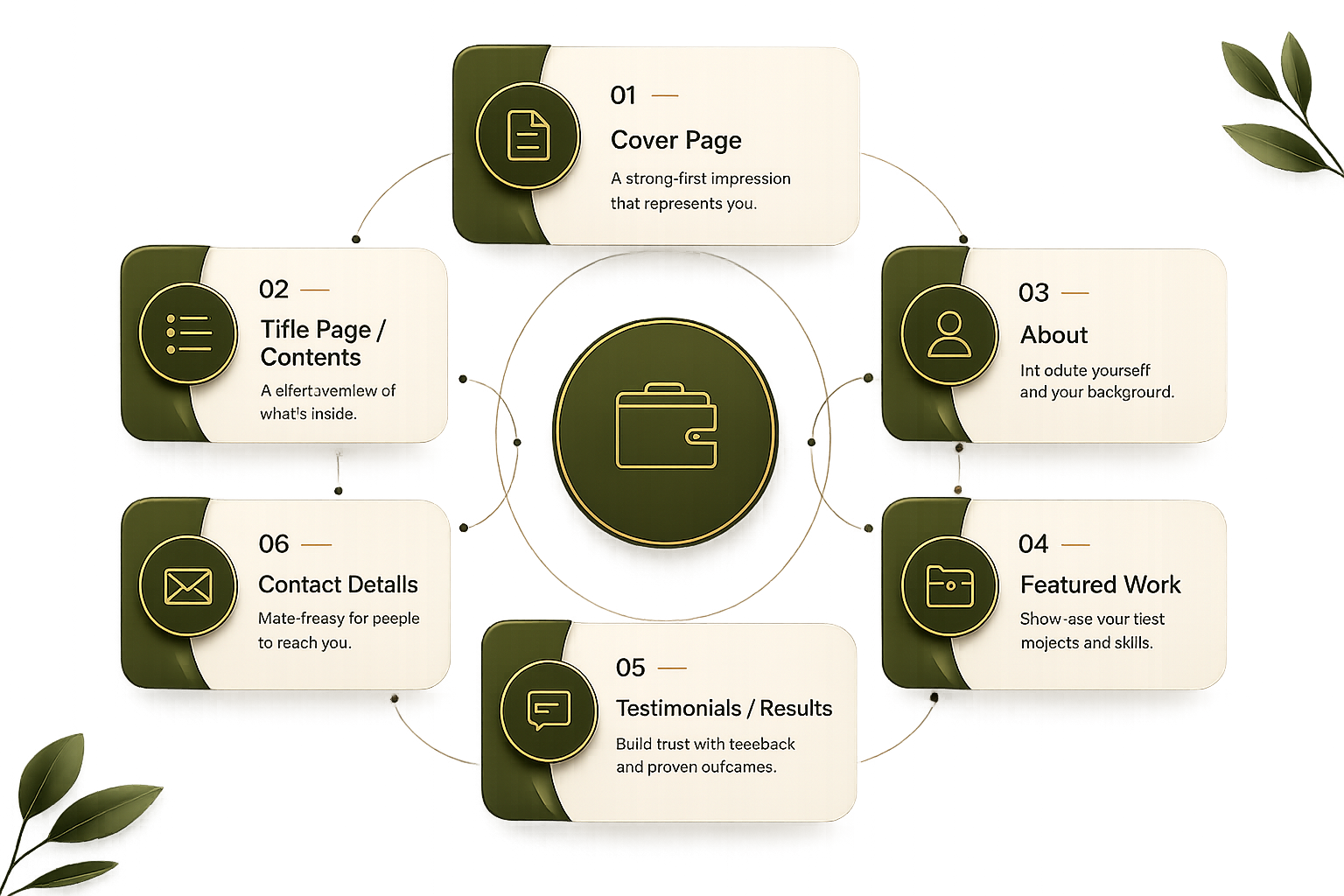
A cover page design for portfolio documents sets the first impression before anyone reads a word. Good portfolio sample cover page examples typically include:
If you're searching for a sample portfolio cover page or sample of cover page for portfolio ideas, keep it simple: one strong visual, your name, and your title. Overdesigned covers distract from the work that follows.
Right after the cover, many professionals include a portfolio title page. Wondering how to make a portfolio title page? A professional title page for portfolio usually lists:
Good title page portfolio example layouts keep whitespace generous and typography confident — no clutter, no more than two fonts.
This is where you explain how to write a portfolio introduction that hooks the reader in under 10 seconds. Cover:
Keep it to 2–4 sentences. Save the details for the case studies that follow.

This is the heart of learning how to put together a portfolio that convinces someone to hire or book you. For each project, include:
Quality beats quantity — five outstanding pieces will always outperform twenty average ones.
Qlimb Up Portfolio Builder: https://www.qlimbup.com/portfolio-builder
Once your content is finalized, it's time to convert everything into a shareable portfolio pdf. Here's how to make a portfolio pdf correctly:
If you've been searching for portfolio pdf template options or trying to figure out how to make portfolio in pdf format without design software, a builder like QlimbUp lets you design each page visually and export the finished pdf portfolio with one click — no separate design tool required.
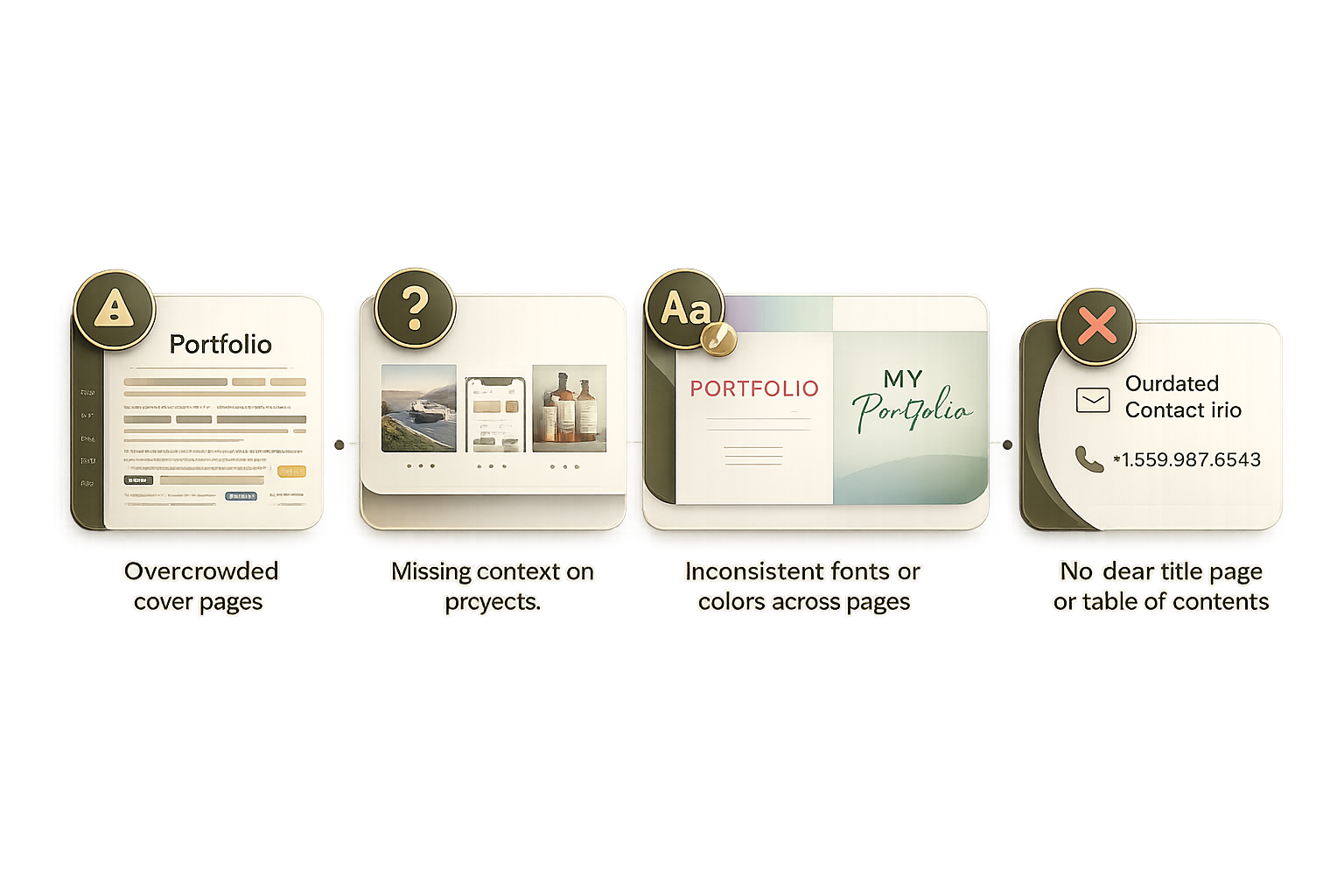
Looking at strong pdf portfolio examples helps clarify what "professional" actually looks like: consistent typography, a clear narrative from cover to contact page, generous white space, and work that's explained — not just displayed. A portfolio sample pdf that only shows images without context leaves the reader guessing what you actually contributed.
What is a PDF portfolio?
A PDF portfolio is a digital document — usually a compilation of your best work, bio, and contact details — saved in PDF format so it can be viewed consistently on any device and easily shared or printed.
How do I create a PDF portfolio without design experience?
Use a portfolio builder like QlimbUp, which provides pre-built layouts for cover pages, title pages, and project showcases, then exports directly to a polished PDF.
How many projects should a portfolio pdf include?
Most professional portfolios feature 5–8 strong projects. It's better to show fewer pieces with full context than many pieces with none.
What should a portfolio title page include?
Your name, a portfolio title, contact information, and a one-line summary of what's inside — kept clean and uncluttered.
How do I make my portfolio pdf look professional?
Stick to two fonts, a consistent color palette, high-resolution visuals, and a logical structure — cover, title page, about, work, contact.